Learning how to start blogging with WordPress is one of the smartest ways to build an online presence, share your knowledge, grow a personal brand, or create a long-term digital business. But many beginners get stuck before they publish their first post. They wonder what niche to choose, which hosting plan to buy, which theme to use, how SEO works, and whether blogging is still worth it.
The short answer is yes: blogging still works when you treat it like a helpful content platform instead of a random online diary. WordPress gives you control over your website, your content, your search visibility, and your monetization options. Unlike social media platforms, where an algorithm can change overnight, a WordPress blog is an asset you own.
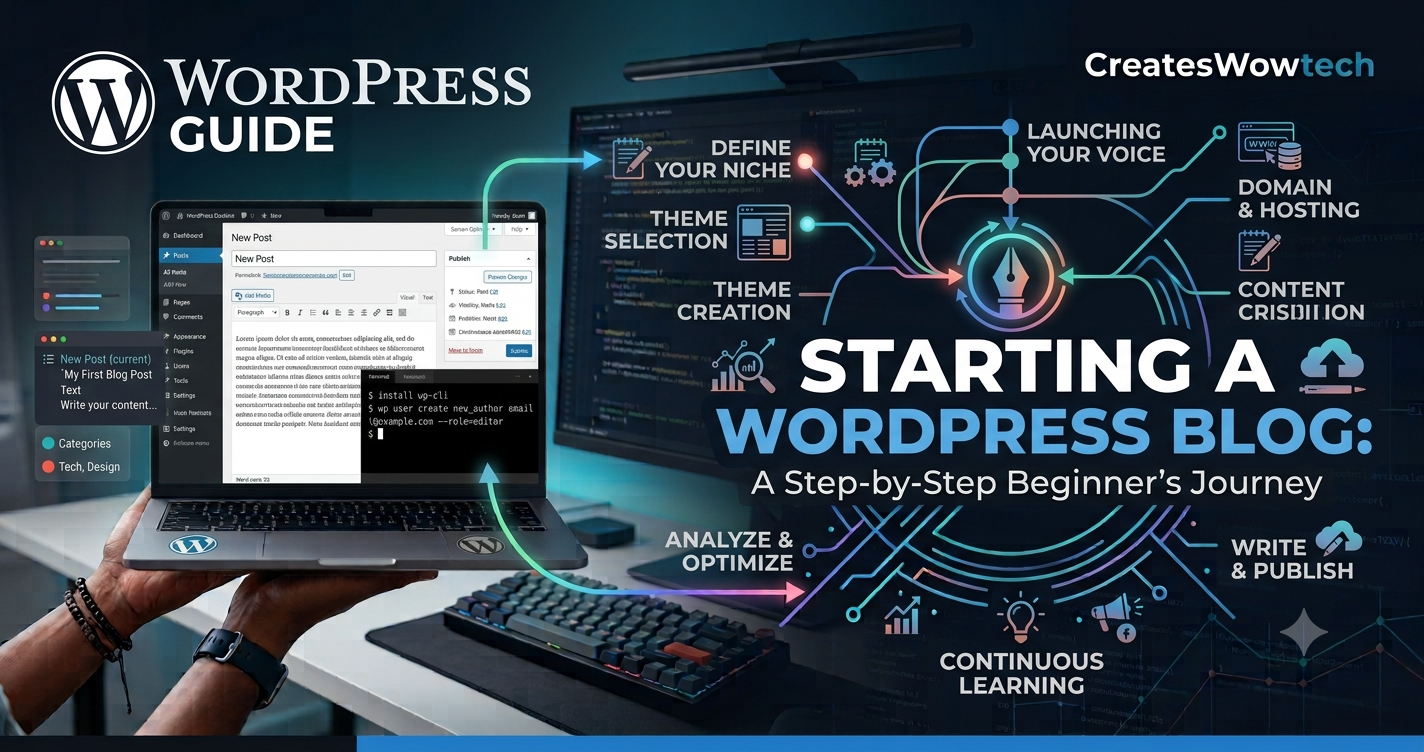
This complete WordPress blogging guide will walk you through every important step: choosing a niche, buying a domain and hosting, installing WordPress, selecting a theme, adding essential plugins, writing SEO-friendly posts, promoting your blog, and turning it into a real business. Whether you want to start a food blog, travel blog, tech tutorial site, finance blog, or professional portfolio, this guide will help you build the foundation correctly from day one.
Why Start Blogging With WordPress?
WordPress is the most popular content management system in the world because it is flexible, beginner-friendly, and powerful enough for professional websites. When people ask how to start blogging with WordPress, they are usually looking for a platform that can grow with them. WordPress is ideal for that because it supports simple personal blogs, advanced membership sites, online magazines, ecommerce stores, and business websites.
There are two common versions of WordPress: WordPress.com and WordPress.org. WordPress.com is a hosted platform with limited control on lower plans. WordPress.org is the self-hosted version that lets you install WordPress on your own hosting account. For serious blogging, self-hosted WordPress.org is usually the better choice because you can install custom themes, add plugins, optimize SEO, run ads, build email lists, and fully control your site.
Key benefits of WordPress blogging
Ownership: You own your website, content, domain, and audience-building systems.
SEO control: You can optimize page titles, meta descriptions, schema, internal links, site speed, and content structure.
Customization: Thousands of themes and plugins help you design the blog you want.
Scalability: Start small and later add ecommerce, courses, memberships, or digital products.
Community support: WordPress has massive documentation, tutorials, developers, and support forums.
For example, a home baker can start a simple recipe blog using WordPress, add recipe cards with a plugin, grow traffic from Google, build an email list, and later sell a baking ebook. A freelance designer can publish case studies, rank for local service keywords, and attract clients. A teacher can create educational posts, offer downloadable worksheets, and build a paid course later. These use cases show why WordPress remains one of the best blogging platforms for beginners and professionals.
If you are still comparing options, you may also find our guide on the best blogging platforms for beginners helpful before you commit.
Step 1: Choose a Profitable Blog Niche
The first step in learning how to start blogging with WordPress is choosing your niche. A niche is the main topic your blog focuses on. Picking a niche matters because it affects your content ideas, target audience, SEO strategy, monetization potential, and long-term motivation.
A common beginner mistake is choosing a niche only because it looks profitable. Money matters, but if you have no interest or experience in the topic, publishing consistently becomes difficult. On the other hand, choosing a topic only because you love it may not work if nobody searches for it or if there is no clear audience problem to solve. The best niche sits at the intersection of interest, knowledge, demand, and income potential.
How to choose your WordPress blog niche
List your interests: Write down topics you enjoy talking about, learning, or teaching.
Check your experience: Identify areas where you have personal, professional, or practical knowledge.
Research audience demand: Use Google autocomplete, forums, Reddit, Quora, YouTube, and keyword tools to see what people ask.
Study competition: Search Google for your topic and review what top-ranking blogs publish.
Check monetization options: Look for affiliate programs, services, courses, ads, sponsorships, or product opportunities.
Real-world niche examples
Example 1: A fitness coach could start a WordPress blog about strength training for busy professionals. Instead of writing broad posts like fitness tips, the coach can publish specific articles such as 20-minute dumbbell workouts, meal prep for office workers, and beginner strength training plans. This niche can monetize through coaching, workout programs, affiliate fitness equipment, and email courses.
Example 2: A software developer could create a blog about practical WordPress development, web performance, or beginner coding tutorials. The blog can attract clients, sell templates, promote developer tools, or build authority for a consulting business.
Example 3: A travel enthusiast could focus on budget travel for families rather than general travel. This narrower angle creates clearer content ideas: affordable hotels, travel checklists, destination guides, credit card tips, and family-friendly itineraries.
Pro Tip: Avoid niches that are too broad at the start. Instead of health, choose healthy meal prep for new parents. Instead of technology, choose WordPress tutorials for small business owners. You can expand later once your blog gains topical authority.
Step 2: Pick a Domain Name That Builds Trust
Your domain name is your blog's web address, such as example.com. It is one of the first branding decisions you will make when you start a WordPress blog. A good domain should be easy to remember, simple to spell, relevant to your niche, and flexible enough to grow with your brand.
You can buy a domain from providers such as Namecheap, GoDaddy, Google-affiliated registrars, Cloudflare Registrar, Hostinger, Bluehost, or your hosting company. Buying your domain and hosting from the same provider can make setup easier. Buying separately may give you better pricing or DNS control, but you will need to point the domain nameservers to your hosting account.
Domain name best practices
Choose a .com when possible because it is familiar and trusted.
Keep the name short, ideally under 15 characters if possible.
Avoid hyphens, numbers, and confusing spellings.
Do not use trademarked brand names in your domain.
Make it broad enough for future growth.
For example, if you start with keto dessert recipes but later want to cover all healthy desserts, a domain like smartdessertkitchen.com gives you more flexibility than ketocookiesonly.com. Similarly, a personal brand domain using your name can work well if you plan to offer consulting, coaching, or services.
Pro Tip: Before buying a domain, check matching social media handles and search Google for similar names. You do not need every social handle, but consistent branding helps people recognize your blog across platforms.
Step 3: Choose Reliable WordPress Hosting
Hosting is where your WordPress website files, database, images, and content live. If your hosting is slow or unreliable, your blog can load poorly, lose visitors, and hurt SEO performance. When you are learning how to start blogging with WordPress, hosting may feel technical, but the basic idea is simple: choose a provider that offers speed, security, support, backups, and easy WordPress installation.
Many beginners start with shared hosting because it is affordable. This is fine for a new blog with low traffic. As your traffic grows, you can upgrade to managed WordPress hosting, cloud hosting, or a higher-performance plan. Managed WordPress hosting usually includes automatic updates, better caching, staging environments, security monitoring, and expert support.
What to look for in WordPress hosting
One-click WordPress installation: Makes setup fast for beginners.
Free SSL certificate: Enables HTTPS and protects visitors.
Daily or weekly backups: Helps restore your site if something breaks.
Good support: 24/7 chat support is useful when you are new.
Fast servers: Speed affects user experience and search visibility.
Scalable plans: Lets your blog grow without painful migration.
Popular options include SiteGround, Bluehost, Hostinger, DreamHost, WP Engine, Kinsta, and Cloudways. The best choice depends on your budget, traffic expectations, and technical confidence. If you are building your first blog, choose a plan that includes SSL, backups, and easy WordPress setup rather than chasing the cheapest possible price.
If you want a deeper comparison before buying, read our related resource on best WordPress hosting for beginners.
Connecting your domain and hosting
If your domain and hosting are with the same company, the connection may happen automatically. If they are with different companies, your host will provide nameservers such as ns1.examplehost.com and ns2.examplehost.com. Log in to your domain registrar, open DNS or nameserver settings, replace the old nameservers with the hosting nameservers, and save. DNS changes can take a few minutes to 48 hours, although they often update much faster.
Pro Tip: Enable SSL as soon as your domain points to hosting. Your website should load with https:// rather than http://. HTTPS is expected by users and is important for trust.
Step 4: Install WordPress
Once you have a domain and hosting, it is time to install WordPress. Most modern hosts offer a guided setup wizard or one-click installer. The exact buttons vary by host, but the process is usually similar.
Basic WordPress installation steps
Log in to your hosting account.
Open the Websites, Hosting, or WordPress section.
Choose Create Website, Install WordPress, or Auto Installer.
Select WordPress as the platform.
Enter your site title, admin username, and strong password.
Choose your domain name.
Start the installation and wait for it to finish.
Visit your website at yourdomain.com and your dashboard at yourdomain.com/wp-admin.
When creating your admin account, avoid using admin as your username. Use a unique username and a strong password. Store login details safely in a password manager. After installation, log in to the WordPress dashboard. This is where you will write blog posts, install themes, add plugins, manage comments, upload images, and customize your website.
Important settings after installation
Set your site title and tagline: Go to Settings > General and make sure your brand name is correct.
Choose your permalink structure: Go to Settings > Permalinks and select Post name. This creates clean URLs like /sample-post/.
Set your time zone: Helps schedule posts accurately.
Delete sample content: Remove the default Hello World post and sample page.
Check search engine visibility: In Settings > Reading, make sure search engines are not discouraged once your site is ready.
Pro Tip: Use a clean URL structure from day one. Changing permalinks after publishing many posts can create broken links unless you set up redirects properly.
Step 5: Select a Fast, Clean WordPress Theme
Your WordPress theme controls the design, layout, typography, and overall appearance of your blog. A beautiful theme is helpful, but performance and usability matter more. A heavy theme with too many features can slow your website and distract readers. Choose a lightweight, responsive, SEO-friendly theme that works well on mobile devices.
Popular beginner-friendly WordPress themes include Astra, GeneratePress, Kadence, Blocksy, Neve, and the default WordPress block themes. Many of these offer free versions that are enough for a new blog. Premium versions can add advanced layouts, templates, hooks, typography controls, and design options.
What makes a good blogging theme?
Loads quickly and does not include unnecessary scripts.
Looks clean on desktop, tablet, and mobile.
Supports the WordPress block editor.
Offers readable typography and good spacing.
Works with popular SEO and caching plugins.
Allows simple customization without coding.
For a recipe blog, you might want a theme with strong image presentation and recipe card compatibility. For a professional consulting blog, you may prefer a clean layout with service pages, testimonials, and strong calls to action. For a news or tech blog, category organization and homepage sections may be more important.
Need help designing the basic pages? See our guide to essential pages every new website needs.
Pro Tip: Do not spend weeks perfecting your design before publishing. A simple, clean theme with readable posts is enough. Your first goal is to publish helpful content and learn what your audience wants.
Step 6: Install Essential WordPress Plugins
Plugins add extra features to WordPress without requiring custom code. They can help with SEO, security, backups, performance, analytics, forms, spam protection, and content design. However, installing too many plugins can slow your site or create conflicts. Use only what you need and choose well-maintained plugins with good reviews.
Recommended plugin categories for new bloggers
SEO plugin: Rank Math, Yoast SEO, or All in One SEO can help manage titles, meta descriptions, sitemaps, schema, and on-page optimization.
Security plugin: Wordfence, Solid Security, or Sucuri can help protect against attacks and suspicious logins.
Backup plugin: UpdraftPlus, BlogVault, or your host's backup system can protect your content.
Performance plugin: WP Rocket, LiteSpeed Cache, W3 Total Cache, or Autoptimize can improve speed.
Analytics plugin: Site Kit by Google or MonsterInsights can connect Google Analytics and Search Console.
Forms plugin: WPForms, Fluent Forms, or Gravity Forms can create contact forms and lead capture forms.
Spam protection: Akismet or Antispam Bee can reduce spam comments.
For example, a new travel blogger might install an SEO plugin, an image compression plugin, a caching plugin, a contact form plugin, and an affiliate link management plugin. A small business blogger may prioritize forms, analytics, security, and local SEO tools. The plugin stack should match the purpose of the blog.
Plugin safety checklist
Check when the plugin was last updated.
Read recent reviews and support issues.
Install plugins from the official WordPress repository or trusted vendors.
Delete plugins you are not using.
Update plugins regularly, but back up your site first.
Pro Tip: More plugins do not mean a better blog. A lean WordPress site with 8 to 15 quality plugins often performs better than a bloated site with 40 plugins.
Step 7: Create the Core Pages Before You Blog
Before you publish dozens of blog posts, create the basic pages that help visitors and search engines understand your website. These pages build trust and make your blog look professional.
Essential pages for a WordPress blog
Home page: Introduce your blog, main topics, and value proposition.
About page: Tell readers who you are, why you created the blog, and how you can help them.
Contact page: Provide a form or email address for readers, brands, or clients.
Privacy policy: Explain how you collect and use data, especially if you use analytics, ads, or email marketing.
Disclaimer: Useful if you publish financial, health, affiliate, or professional advice.
Start here page: Optional, but helpful for guiding new readers to your best content.
A personal finance blogger should include a clear disclaimer that content is educational and not financial advice. A health blogger should be careful with medical claims and link to trusted sources. A food blogger should explain affiliate links if recommending kitchen tools. Trust signals matter, especially in niches where Google expects experience, expertise, authoritativeness, and trustworthiness.
Pro Tip: Add a short author bio to your posts. Mention relevant experience, credentials, or personal results. This can improve reader trust and support stronger content quality signals.
Step 8: Plan Your Blog Content Strategy
A WordPress blog succeeds when it publishes content that people actually search for and find useful. Random posting rarely works. You need a simple content strategy that connects your niche, audience problems, keywords, and business goals.
Start by defining your target reader. Who are they? What problems do they face? What do they want to learn? What mistakes do they want to avoid? Then create content around those questions. If your blog is about beginner photography, your audience may search for camera settings, lens comparisons, editing tutorials, and composition tips. If your blog is about WordPress, readers may search for theme recommendations, plugin tutorials, security tips, and SEO guides.
Use topic clusters for SEO
A topic cluster is a group of related articles built around a main topic. For example, if your main topic is WordPress blogging, your cluster could include articles about choosing hosting, installing themes, writing SEO posts, setting up Google Analytics, improving speed, and monetizing a blog. These posts should link to each other naturally. This helps readers explore your site and helps search engines understand your topical authority.
Here is a simple content cluster for a new WordPress blog:
Main guide: How to start blogging with WordPress
Supporting post: Best WordPress themes for bloggers
Supporting post: How to write SEO-friendly blog posts
Supporting post: WordPress security checklist for beginners
Supporting post: How to monetize a blog with affiliate marketing
Supporting post: How to speed up a WordPress website
For a detailed writing workflow, read our article on how to write SEO-friendly blog posts.
Beginner keyword research process
Type your niche topic into Google and review autocomplete suggestions.
Check People Also Ask questions for common problems.
Use free tools like Google Trends, Google Keyword Planner, and Search Console after your site has data.
Look at competitor headings to understand what top results cover.
Choose long-tail keywords that are specific and easier to rank for.
Instead of targeting a very broad keyword like blogging, a beginner should target a more specific keyword like how to start blogging with WordPress, best WordPress plugins for bloggers, or how to choose a blog niche. Long-tail keywords usually have clearer intent and less competition.
Pro Tip: Create a spreadsheet with keyword, search intent, article title, status, internal links, and publish date. This simple habit makes your blog feel like a real publishing system rather than a collection of random posts.
Step 9: Write and Publish Your First WordPress Blog Post
Publishing your first post is a major milestone. Do not wait until everything is perfect. Your first post should be helpful, clear, and focused on one reader problem. Use a strong headline, short paragraphs, descriptive headings, examples, and a practical conclusion.
Blog post structure that works
Title: Include the main keyword and a benefit.
Introduction: Explain the problem and promise a useful solution.
Body: Break the topic into logical sections with H2 and H3 headings.
Examples: Show how the advice works in real life.
Conclusion: Summarize and tell readers what to do next.
In WordPress, go to Posts > Add New. Add your title, write your content using the block editor, insert images, set a featured image, choose a category, add tags if needed, and preview the post before publishing. Your SEO plugin may also let you add a custom meta title and meta description.
On-page SEO checklist
Use your primary keyword naturally in the title, intro, at least one heading, and conclusion.
Write a clear meta description that encourages clicks.
Use internal links to related posts.
Add external links to trusted sources where useful.
Compress images and add descriptive alt text.
Use short, readable URLs.
Answer common questions clearly for featured snippet opportunities.
For example, if your post is about best budget cameras for beginners, include comparison tables, sample use cases, buyer tips, pros and cons, and FAQs. If your post is about how to install WordPress, include screenshots or image prompts for each step. Helpful formatting improves user experience and can increase time on page.
Pro Tip: Do not write only for search engines. Write for readers first, then optimize. Google increasingly rewards content that is genuinely useful, original, and easy to navigate.
Step 10: Set Up Analytics and Search Console
Once your WordPress blog is live, you need data. Analytics tools show how people find your site, which posts they read, how long they stay, and what actions they take. Google Search Console shows which search queries bring impressions and clicks, whether Google can crawl your pages, and if your site has indexing issues.
Install Google Analytics 4 and Google Search Console early, even if you have no traffic yet. This creates a baseline and helps you understand growth over time. You can connect these tools using Google's Site Kit plugin or manually add verification codes through your SEO plugin or hosting dashboard.
Metrics new bloggers should watch
Organic clicks: How many visitors come from Google Search.
Impressions: How often your pages appear in search results.
Click-through rate: Percentage of searchers who click your result.
Average position: Approximate ranking position for keywords.
Top pages: Which articles attract the most traffic.
Engagement: How users interact with your content.
At first, traffic may be slow. New blogs often take months to gain traction. Use early data to improve titles, update content, add internal links, and write more articles around topics that show impressions. If a post appears on page two of Google, improving it with better examples, FAQs, images, and internal links may help it move higher.
Pro Tip: Check Search Console monthly, not every hour. SEO takes time. Use the data for decisions, but do not let daily ranking changes distract you from publishing high-quality content.
Step 11: Promote Your WordPress Blog
Publishing is only half the work. Promotion helps people discover your content while search engines are still learning about your site. The best promotion channels depend on your niche and audience, but most bloggers should start with a few focused platforms rather than trying to be everywhere.
Effective blog promotion channels
Email newsletter: Build an owned audience from the start.
Pinterest: Strong for food, travel, DIY, lifestyle, fashion, and home niches.
LinkedIn: Useful for B2B, marketing, career, finance, and professional content.
YouTube: Great for tutorials, reviews, education, and product demos.
Communities: Reddit, niche forums, Facebook groups, and Slack communities can work if you contribute genuinely.
Guest posting: Write for relevant websites to build authority and referral traffic.
For example, a food blogger can share recipe images on Pinterest, build an email list with a free meal plan, and use SEO for recipe searches. A B2B marketing blogger may focus on LinkedIn posts, guest articles, and downloadable templates. A WordPress tutorial blogger can create YouTube walkthroughs and embed them in blog posts.
Pro Tip: Repurpose one blog post into multiple formats. A single detailed guide can become a LinkedIn carousel, Pinterest pins, an email newsletter, a short video, and several social posts.
Step 12: Monetize Your WordPress Blog
Many people start blogging with WordPress because they want to earn money online. Monetization is possible, but it usually works best after you have useful content and a growing audience. You do not need massive traffic for every income model. Some methods, like consulting or digital products, can work with a smaller but targeted audience.
Popular blog monetization methods
Affiliate marketing: Recommend products and earn a commission when readers buy through your links.
Display ads: Earn revenue from ad networks such as Google AdSense, Mediavine, or Raptive.
Sponsored posts: Partner with brands that fit your audience.
Digital products: Sell ebooks, templates, presets, printables, or online courses.
Services: Offer consulting, coaching, writing, design, development, or audits.
Memberships: Create paid communities or premium content libraries.
A small WordPress blog about bookkeeping for freelancers might not get huge traffic, but it can generate leads for accounting services. A photography blog can earn through camera affiliate links, Lightroom presets, and online workshops. A personal productivity blog can sell templates, planners, and coaching sessions.
Learn more in our detailed guide on how to monetize a blog.
Monetization mistakes to avoid
Adding too many ads before building trust.
Promoting products you have not researched.
Ignoring affiliate disclosures.
Choosing income methods that do not match your audience.
Focusing on money before content quality.
Pro Tip: Build your email list before you think you need it. Email subscribers are more valuable than casual visitors because you can reach them again when you publish new posts, launch products, or share offers.
Expert Pro Tips for Better WordPress Blogging Results
Once your site is live, small improvements can produce big results over time. These expert-level tips help you avoid common beginner mistakes and build a stronger blog foundation.
1. Build topical authority before chasing random keywords
Google needs to understand what your blog is about. If you publish one post about fitness, one about crypto, one about travel, and one about pets, your site may look unfocused. Instead, publish clusters around related topics. A focused blog can build authority faster.
2. Update old content regularly
Blogging is not just publishing new posts. Updating old posts can improve rankings and user experience. Add new examples, replace outdated screenshots, improve introductions, answer new FAQs, and refresh statistics. Many successful blogs get a large share of growth from content updates.
3. Use internal links strategically
Internal links guide readers and search engines to related content. When you publish a new post, link to older relevant posts. Also update older posts to link to the new one. Use descriptive anchor text instead of generic phrases like click here.
4. Optimize for speed early
Large images, heavy themes, and too many plugins can slow a new blog. Compress images, use caching, choose good hosting, and remove unused scripts. Speed improves user experience and can support better SEO performance.
5. Create a repeatable publishing workflow
A professional workflow might include keyword research, outline, draft, edit, optimize, add images, add internal links, publish, submit to Search Console, share with email subscribers, and schedule updates. A repeatable system makes blogging easier and more consistent.
6. Write from experience
Search results are full of generic content. Stand out by adding personal tests, screenshots, case studies, lessons learned, and real examples. If you review a plugin, show how you used it. If you recommend a workflow, explain what happened when you applied it.
7. Protect your website
Use strong passwords, enable two-factor authentication when possible, keep WordPress updated, back up your site, and avoid unknown plugins. A hacked blog can damage trust and rankings.
Common WordPress Blogging Mistakes Beginners Make
Starting a blog is exciting, but beginners often make avoidable mistakes. Knowing these early can save months of frustration.
Choosing a niche with no clear audience: Passion is helpful, but your blog should solve real problems.
Using poor hosting: Cheap hosting can become expensive if your site is slow or often offline.
Changing themes constantly: Design matters, but content and usability matter more.
Publishing without SEO research: If nobody searches for your topic, traffic will be limited.
Ignoring email marketing: Search and social traffic are valuable, but email gives you direct access to readers.
Copying competitors: Study competitors, but add your own examples, voice, and expertise.
Giving up too soon: Blogging often takes 6 to 12 months of consistent effort before meaningful results appear.
Think of your WordPress blog as a long-term asset. Each helpful post is a page that can attract readers for years. The earlier you build good habits, the stronger your blog becomes.
External Sources
The following authoritative resources can help you learn more about WordPress, SEO, website performance, privacy, and content best practices:
WordPress.org Documentation: https://wordpress.org/documentation/ - Official WordPress guides for installation, settings, themes, plugins, and publishing.
Google Search Central: https://developers.google.com/search/docs - Official SEO documentation from Google for crawling, indexing, structured data, and content quality.
Google Analytics Help: https://support.google.com/analytics/ - Official help center for setting up and understanding Google Analytics.
Google Search Console Help: https://support.google.com/webmasters/ - Official guidance for monitoring search performance and indexing issues.
PageSpeed Insights: https://pagespeed.web.dev/ - Google tool for testing website speed and Core Web Vitals.
Federal Trade Commission Endorsement Guides: https://www.ftc.gov/business-guidance/advertising-marketing/endorsements-influencers-reviews - Important for bloggers using affiliate links, sponsorships, or product reviews.
Digital.gov Plain Language Resources: https://digital.gov/resources/plain-language/ - Government resource for writing clear, user-friendly content.
W3C Web Accessibility Initiative: https://www.w3.org/WAI/ - Accessibility standards and guidance for making websites easier for everyone to use.
FAQs About How to Start Blogging With WordPress
Is WordPress good for beginner bloggers?
Yes. WordPress is beginner-friendly and flexible. You can start with a simple blog and add advanced features later with themes and plugins.
How much does it cost to start a WordPress blog?
A basic self-hosted WordPress blog usually costs money for a domain and hosting. Beginners can often start with a low-cost hosting plan and upgrade later.
Do I need coding skills to start blogging with WordPress?
No. You can install WordPress, choose a theme, publish posts, and add plugins without coding. Basic technical knowledge helps but is not required.
How long does it take to set up a WordPress blog?
You can set up the basic website in less than an hour. Planning your niche, design, pages, and first posts may take a few days.
What should my first blog post be about?
Your first post should solve a specific problem for your target reader. Choose a topic related to your niche and use a clear, helpful structure.
How many blog posts should I publish each week?
Quality matters more than quantity. For most beginners, one strong post per week is better than several rushed posts with little value.
How do I get traffic to my WordPress blog?
Use SEO, internal linking, email marketing, social media, Pinterest, guest posting, and community participation. Traffic grows with consistent publishing and promotion.
Can I make money with a WordPress blog?
Yes. Bloggers can earn through affiliate marketing, ads, sponsored content, services, digital products, courses, and memberships. Results depend on niche, traffic, trust, and strategy.
Which plugins do new WordPress bloggers need?
Most new bloggers need plugins for SEO, security, backups, caching, analytics, forms, and spam protection. Avoid installing unnecessary plugins.
Is blogging still worth it in 2026?
Yes. Blogging is still worth it when you publish useful content, build topical authority, optimize for search, and create a clear monetization plan.
Conclusion: Start Blogging With WordPress the Smart Way
Now you know how to start blogging with WordPress from the ground up. The process is simple when you break it into clear steps: choose a focused niche, buy a trustworthy domain, select reliable hosting, install WordPress, use a clean theme, add essential plugins, create core pages, plan SEO-friendly content, publish consistently, track results, promote your posts, and monetize strategically.
The most important step is to begin. Your first version does not need to be perfect. A successful WordPress blog grows through publishing, learning, improving, and serving readers better over time. Start with a clear niche, write helpful content, and build systems that support long-term growth.
Ready to launch? Choose your niche today, register your domain, set up WordPress, and publish your first helpful blog post this week. Your future audience cannot find you until you start.