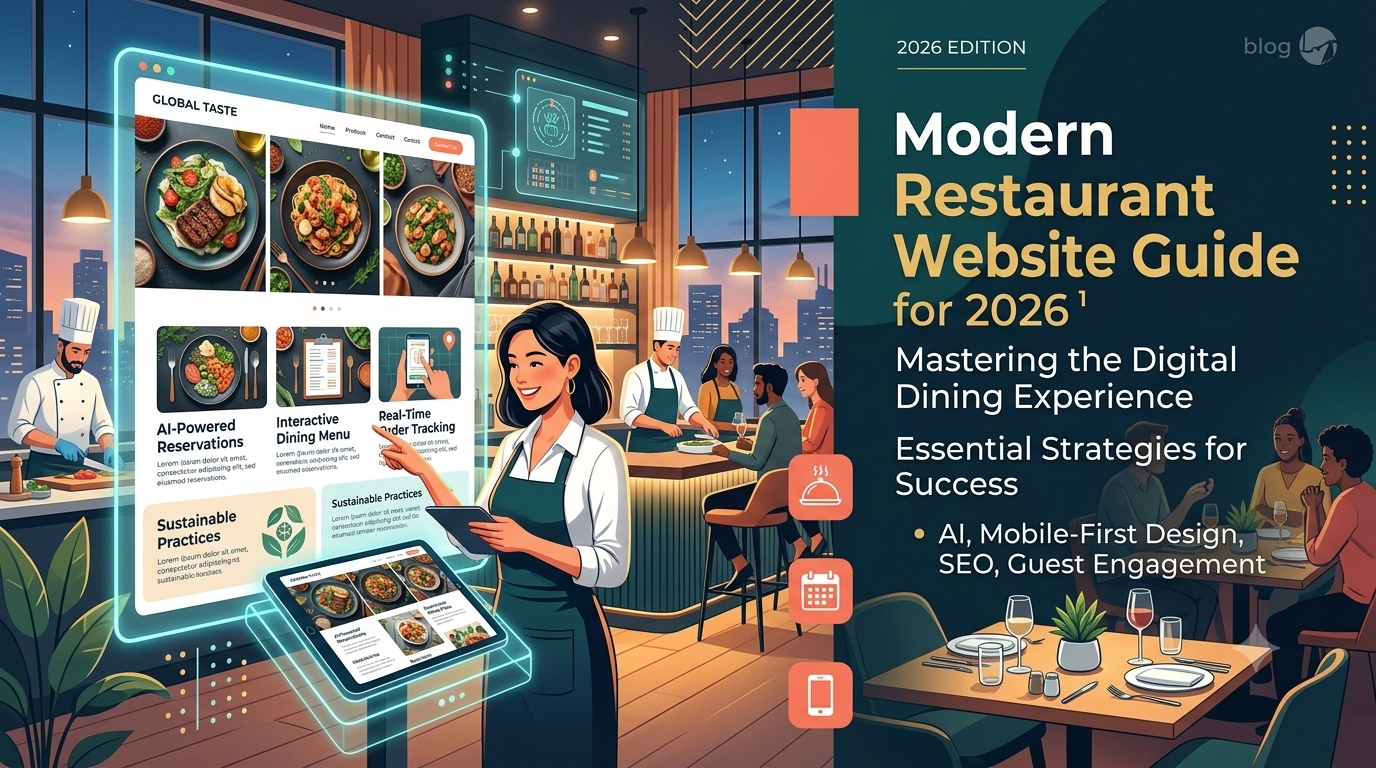
How to Build a Modern Restaurant Website in 2026: Complete Guide
A guest is standing on a sidewalk three blocks from your restaurant. They are hungry, searching on their phone, comparing photos, checking your menu, looking for hours, and deciding within seconds whether to visit you or the restaurant down the street.
That moment happens hundreds or thousands of times each month. A modern restaurant website is no longer a digital brochure with a logo, a few photos, and a PDF menu. In 2026, your website is part host stand, part ordering counter, part local search asset, part brand storyteller, part recruiting tool, and part revenue engine.
A high-performing restaurant website helps guests answer the questions that matter most: Are you open? Where are you located? What is on the menu? Can they reserve a table? Can they order directly? Do you offer catering, private dining, gift cards, or allergy-friendly options?
This guide explains how to build a modern restaurant website in 2026, including restaurant website best practices, essential pages, online ordering for restaurants, reservation tools, mobile optimization, restaurant website SEO, AI, accessibility, costs, launch planning, and conversion optimization.
Design for fast decisions on mobile devices.
Make menus readable, searchable, and easy to update.
Prioritize direct orders, reservations, calls, and directions.
Use local SEO to improve discovery in Google Search and Maps.
Measure the actions that generate revenue.
Why a Modern Restaurant Website Still Matters in 2026
Restaurants compete in a noisy digital world. Guests discover dining options through Google Maps, TikTok, Instagram, Yelp, delivery apps, review sites, local media, influencers, and word of mouth. But when a guest is ready to decide, your website still matters because it is the digital property you control.
Social platforms can change reach overnight. Delivery apps can change fees, customer access, and visibility. Review platforms can shape perception without giving you full control. Your website gives you one central place to present your brand, publish accurate information, capture demand, and convert interest into action.
The role of a website in the restaurant customer journey
The modern guest journey is fast: search, scan, compare, decide, book, order, call, or get directions. The best restaurant website design 2026 strategies focus less on decoration and more on helping guests complete these tasks quickly.
How websites support reservations, orders, and local discovery
Your website can generate reservations, direct online orders, catering inquiries, private dining leads, gift card sales, loyalty signups, job applications, and local organic traffic. It should connect your restaurant website features to real business outcomes.
Why social media and delivery apps are not enough
Instagram is excellent for atmosphere. TikTok can create discovery. Delivery apps offer convenience. But your website controls your menu accuracy, first-party data, analytics, brand story, direct ordering path, reservation experience, and search visibility. For a deeper strategy, see our guide to local SEO for restaurants.
60-second restaurant website audit
Open your current website on your phone. In 60 seconds, can you find today’s hours, address, menu, prices, reservation button, order button, phone number, parking details, private dining information, and reviews? If not, your highest-impact improvements are probably hiding in plain sight.
What Makes a Restaurant Website Modern in 2026?
A modern restaurant website is not defined by trendy animation alone. In 2026, modern means fast, mobile-first, accessible, secure, easy to update, search-friendly, integrated with operations, and focused on guest intent.
Mobile-first and performance-focused design
A mobile friendly restaurant website should include large tap targets, sticky order and reservation buttons, readable menus, click-to-call phone numbers, tap-for-directions links, minimal pop-ups, accessible forms, and visible hours and location details.
Integrated online ordering and reservations
Depending on your restaurant model, your site may need direct ordering, a restaurant reservation system, gift cards, loyalty signup, catering forms, waitlist tools, event booking, location pages, and POS-connected menus.
Personalized experiences powered by AI
AI for restaurant websites can support FAQs, menu updates, review response drafts, personalized offers, email campaigns, and guest service workflows. AI should assist hospitality, not replace it.
Accessibility, security, and trust signals
Trust signals include SSL, clear pricing, current menus, real photography, review highlights, accessibility information, privacy policies, accurate hours, transparent reservation policies, and visible contact information.
Define Your Restaurant Website Goals Before You Build
Before choosing a template, platform, color palette, or restaurant website builder, define what the website must accomplish. A beautiful website that does not drive action is decoration. A strategic website supports measurable goals.
Getting more reservations
If reservations are your priority, make booking effortless. Use visible reservation buttons, clear policies, calendar availability, waitlist options, large-party instructions, reminders, and social proof near the booking path.
Increasing direct online orders
For fast casual, cafes, bakeries, takeout concepts, and casual dining restaurants, direct online ordering can improve margins and customer relationships. The ordering experience should be fast, mobile-friendly, and easy to find.
Promoting catering, events, or private dining
Catering and private dining pages should include packages, photos, event types, capacity, sample menus, FAQs, testimonials, inquiry forms, and response expectations. See our related resource on restaurant website conversion optimization.
Improving local SEO visibility
If your restaurant depends on local discovery, your pages should target cuisine, neighborhood, city, service type, and occasion-based searches. This includes searches such as brunch in your neighborhood, private dining in your city, or vegan bakery near downtown.
Building customer loyalty and email lists
Your website can support repeat visits through email lists, SMS clubs, birthday offers, reorder reminders, loyalty programs, seasonal events, and VIP experiences. Offer value instead of using generic pop-ups.
Choose the Right Restaurant Website Platform
The platform you choose affects speed, design flexibility, SEO, integrations, maintenance, and cost. There is no single best restaurant website builder for every restaurant.
Website builders vs custom development
Website builders are useful when you need speed, simplicity, and lower upfront cost. Custom restaurant web design is usually better when branding, advanced SEO, multi-location architecture, integrations, accessibility, and conversion tracking matter.
WordPress, Webflow, Squarespace, Wix, and restaurant-specific platforms
WordPress: flexible, scalable, and strong for restaurant website SEO, but it requires maintenance.
Webflow: strong for custom design, CMS flexibility, and performance, often with professional support.
Squarespace: simple and polished for small restaurants, cafes, chefs, and pop-ups.
Wix: beginner-friendly with many templates and apps, though advanced SEO and performance depend on setup.
Shopify: best for restaurants selling coffee, sauces, wine clubs, merchandise, or packaged goods.
Restaurant-specific platforms: convenient for menus, ordering, reservations, and basic restaurant operations, but check SEO control, transaction fees, and design limits.
What to look for in a restaurant website CMS
Look for easy menu editing, mobile previews, SEO controls, image optimization, schema support, backups, security, role-based access, multi-location support, landing page creation, and integrations with ordering, reservations, analytics, POS, email, SMS, and loyalty tools.
When to hire a professional restaurant web designer
Hire a professional if your site is outdated, you need local SEO growth, you run multiple locations, you rely on direct orders or reservations, your brand positioning matters, or your team needs help with accessibility, analytics, integrations, and launch support. Our website redesign checklist can help you prepare.
Plan the Essential Pages for Your Restaurant Website
A modern restaurant website needs clear structure. Guests should never wonder where to click.
Homepage
Your homepage should explain who you are, what you serve, where you are located, and what guests should do next.
Menu page
Your menu page should be current, searchable, accessible, easy to read, and built in HTML rather than only uploaded as a PDF. Strong restaurant menu website design is one of the biggest conversion opportunities.
Online ordering page
Include pickup and delivery options, prep time expectations, popular items, dietary labels, upsells, loyalty prompts, and support for order issues.
Reservations page
Include a reservation widget, cancellation policy, party size limits, large-party instructions, private dining links, dress code, parking notes, and accessibility details.
Location and contact page
Include address, map, tap-to-call phone number, hours, holiday hours, parking, transit notes, email, accessibility details, and landmarks. Multi-location restaurants need one unique page per location.
About, events, reviews, careers, and FAQ pages
Your about page builds emotional connection. Events and catering pages capture high-value leads. Reviews and press reduce hesitation. Careers pages support hiring. FAQ pages reduce calls and improve the guest experience.
Design a High-Converting Restaurant Homepage
Your homepage does not need to say everything. It needs to say the right things in the right order so visitors can act quickly.
Clear value proposition and restaurant concept
Within seconds, guests should understand your cuisine, concept, neighborhood, atmosphere, and reason to choose you. Clarity beats cleverness.
Strong food photography and visual branding
Use real, professional, optimized photography that communicates your food, dining room, team, bar, patio, private spaces, and brand personality.
Prominent order and reservation calls to action
Use clear CTAs such as Reserve a Table, Order Online, View Menu, Get Directions, Book Private Dining, Buy Gift Cards, or Join the List. For additional layout inspiration, review our restaurant website design ideas.
Hours, location, and contact information above the fold
Many visitors only need basic information. Place your city, neighborhood, today’s hours, address, phone number, and service type where people can find them fast.
Social proof and review highlights
Use real review excerpts, press mentions, awards, chef credentials, customer favorites, and community recognition near key decision points.
Create a Menu Page That Is Easy to Read and Search Friendly
Your menu is one of your strongest sales assets. It should help guests choose what to eat while helping search engines understand your cuisine and offerings.
Why HTML menus are better than PDF menus
PDF-only menus can be hard to read on phones, difficult for search engines to parse, less accessible for screen readers, slow to load, and easy to forget to update. An HTML menu is easier to scan, better for restaurant website SEO, and more useful for mobile users.
How to structure menu categories
Organize categories the way guests think: starters, salads, pasta, mains, desserts, cocktails, brunch, lunch, dinner, kids, happy hour, gluten-free, vegetarian, and vegan.
Adding prices, descriptions, allergens, and dietary labels
Include prices, key ingredients, preparation style, allergen notes, dietary labels, spice levels, popular item tags, and seasonal availability. Digital menu for restaurants should be informative without overwhelming guests.
Optimizing menu pages for SEO
Menu pages can rank for high-intent searches when they naturally include cuisine, dish, and location signals. Examples include handmade pasta in Brooklyn, vegan tacos in Phoenix, or seafood brunch in Savannah.
Using digital menus and QR codes without hurting UX
QR codes should link to mobile-friendly HTML menus, avoid app downloads, display prices clearly, load fast, and remain accessible. Learn more in our guide to digital menu design.
Add Online Ordering and Reservations
Online ordering and reservations turn your website from informational to transactional. They work best when they are easy, fast, and operationally connected.
Direct ordering vs third-party delivery platforms
Third-party delivery platforms can introduce new customers, but direct ordering gives you more control over margins, first-party customer data, loyalty, email capture, analytics, upsells, and repeat orders.
Choosing an online ordering system
Evaluate POS integration, pickup and delivery options, delivery zones, menu sync, modifiers, scheduled ordering, group ordering, promo codes, loyalty, payment security, customer support, fees, checkout UX, and kitchen routing.
Adding table reservations
A restaurant reservation system should support real-time availability, waitlists, large parties, deposits, cancellation policies, reminders, guest notes, CRM profiles, and private dining routing.
Reducing friction in checkout or booking
Keep CTAs visible, minimize required fields, show total cost clearly, make pickup and delivery times obvious, allow guest checkout, avoid surprise fees, and send confirmations immediately.
Tracking revenue from orders and reservations
Track order starts, completed orders, reservation clicks, completed bookings, calls, directions, catering inquiries, gift card sales, email signups, and campaign performance.
Optimize for Mobile Users
Mobile optimization is not a final polish step. It is the foundation of restaurant website design in 2026.
Mobile-first layouts for restaurant browsing
Prioritize menu, hours, location, order, reserve, call, directions, and waitlist. Keep navigation short and make the most important actions visible.
Tap-to-call, directions, and quick actions
Use tap-to-call, tap-for-directions, tap-to-order, tap-to-reserve, tap-to-join-waitlist, and tap-to-email-catering links. These small restaurant website features remove friction for high-intent visitors.
Fast-loading images and lightweight pages
Use compressed images, next-generation formats, lazy loading, proper dimensions, reliable hosting, and limited third-party scripts. Speed is hospitality online.
Mobile menu readability
Use expandable categories, sticky category navigation, large text, visible prices, dietary filters, search, and generous spacing.
Testing on real devices
Test on iPhone and Android devices, different screen sizes, mobile browsers, slower networks, bright outdoor conditions, and real ordering or reservation flows.
Improve Restaurant Website SEO
Restaurant website SEO helps search engines understand your cuisine, location, menu, services, and reputation. It also helps local guests find you when they are ready to act.
Local keyword research for restaurants
Start with cuisine, location, occasion, service, and menu items. Examples include brunch in West Loop, private dining in Nashville, vegan bakery near downtown, and office catering in Midtown.
Optimizing title tags and meta descriptions
Each page should have a clear purpose. Use specific titles such as Dinner Menu, Wood-Fired Pizza in Denver, or Corporate Catering in Chicago. For broader guidance, read our on-page SEO checklist.
Creating location-based landing pages
Each location page should include unique address, hours, menu details, parking, neighborhood content, photos, reviews, ordering or reservation links, map, and local schema markup.
Adding restaurant schema markup
Restaurant schema can include name, address, phone, hours, cuisine, menu URL, reservation URL, price range, reviews, geo coordinates, social profiles, and opening hours.
Connecting your website with Google Business Profile
Keep your name, address, phone number, hours, menu link, reservation link, order link, categories, photos, attributes, and holiday hours consistent across your website and Google Business Profile.
Building citations and earning local backlinks
Earn mentions from local directories, tourism sites, food blogs, media outlets, neighborhood associations, event partners, vendors, charities, and community organizations.
Use AI and Automation Strategically
AI for restaurant websites can improve speed, personalization, and operations. It should support hospitality rather than replace human service.
AI chatbots for FAQs and reservations
An AI chatbot can answer questions about hours, gluten-free options, parking, large parties, outdoor seating, gift cards, and private rooms. Always provide an easy path to a human.
Personalized offers and loyalty recommendations
Examples include weekday lunch offers, reorder prompts, catering suggestions for business visitors, birthday messages, and wine dinner invitations. Respect privacy, consent, and frequency.
Automated email and SMS follow-ups
Automation can power reservation reminders, order updates, thank-you messages, review requests, holiday party outreach, and loyalty campaigns.
AI-assisted content and menu updates
AI can help draft menu descriptions, event copy, FAQ content, blog posts, review responses, and guest sentiment summaries. Human review is essential, especially for allergens and ingredient details.
Avoiding overautomation in hospitality
Automation can hurt trust when it provides wrong information, blocks human contact, sends too many messages, uses generic language, or recommends unavailable items.
Build Trust With Reviews, Photos, and Social Proof
Trust turns browsers into guests. A first-time visitor needs evidence that your restaurant is worth the drive, price, reservation, or order.
Displaying Google, Yelp, and TripAdvisor reviews
Feature real snippets that highlight food quality, service, atmosphere, special occasions, dietary accommodations, private events, and takeout experience.
Using authentic food and interior photography
Use real images of signature dishes, dining room, bar, patio, chef, team, guests with permission, private rooms, catering setups, and seasonal specials.
Featuring awards, press, and chef credentials
Show press mentions, local awards, chef background, farm partnerships, sustainability commitments, years in business, and family ownership stories.
Adding user-generated content and social feeds
Curate social proof carefully. Too many embedded feeds can slow the website. Use screenshots, selected posts, or lightweight galleries when possible.
Make Your Restaurant Website Accessible and Compliant
Accessibility is part of hospitality. A modern restaurant website should welcome as many guests as possible.
ADA and WCAG accessibility basics
Review menus, forms, reservation widgets, ordering systems, images, videos, navigation, color contrast, keyboard use, and screen reader support.
Readable fonts, contrast, and alt text
Use legible font sizes, strong color contrast, descriptive button labels, meaningful alt text, video captions, clear form labels, and helpful error messages.
Keyboard navigation and screen reader support
Your site should support keyboard navigation, visible focus states, logical headings, descriptive links, proper form labels, and screen reader-friendly content.
Privacy policies, cookie notices, and secure forms
Use SSL, secure payment processing, protected forms, a privacy policy, cookie notices where required, spam protection, regular updates, secure admin access, and backups.
Set Up Analytics and Conversion Tracking
A restaurant website should be measurable. If you do not track actions, you cannot know whether the site is working.
Tracking calls, reservations, orders, and forms
Track phone clicks, directions clicks, reservation clicks, completed bookings, online orders, gift card purchases, catering forms, private dining inquiries, email signups, menu views, job applications, and waitlist joins.
Using Google Analytics 4 and Google Search Console
GA4 helps track behavior and conversions. Google Search Console helps track queries, indexing, search visibility, and technical issues.
Measuring local SEO performance
Separate branded search from non-branded discovery. Branded search shows existing demand. Non-branded search shows whether new guests are finding you through cuisine, neighborhood, menu, and occasion-based terms.
Understanding conversion rates and revenue attribution
Ask which pages drive reservations, which sources lead to orders, whether mobile users convert, and whether visitors choose third-party delivery instead of direct ordering.
Restaurant Website Cost in 2026
Restaurant website cost depends on scope, platform, content, integrations, design quality, accessibility, SEO, and ongoing support.
DIY restaurant website costs
DIY costs may include domain registration, website builder subscriptions, templates, photography, email accounts, SEO tools, ordering fees, reservation fees, and your team’s time.
Template and website builder costs
Templates and builders may include hosting, design templates, menu tools, basic SEO settings, support, and integrations. They can work well for simple restaurants with limited complexity.
Custom restaurant website pricing
Custom pricing depends on page count, copywriting, photography, ordering integration, reservation integration, POS integration, multi-location setup, accessibility, SEO, analytics, and maintenance.
Ongoing costs for hosting, maintenance, SEO, and integrations
Budget for hosting, domain renewal, updates, backups, security, menu updates, SEO content, analytics, subscriptions, ordering fees, reservation fees, accessibility reviews, and photography refreshes.
How to estimate ROI from a better restaurant website
Estimate the value of direct orders, reduced third-party fees, private dining leads, more reservations, gift card sales, loyalty signups, staff-time savings, and improved local visibility.
Practical Use Cases by Restaurant Type
Fine dining restaurant
Focus on reservations, tasting menu bookings, private dining inquiries, chef story, press, awards, wine pairings, dress code, cancellation policy, and gift cards.
Fast casual restaurant
Focus on direct online ordering, loyalty, repeat visits, location discovery, popular menu combinations, dietary filters, office catering, and promo campaigns.
Cafe or bakery
Focus on local discovery, today’s hours, seasonal menu, preorders, custom cake inquiries, coffee subscriptions, wholesale, gift cards, and Google Business Profile accuracy.
Food truck
Focus on live location, weekly schedule, mobile-first design, event booking, tap-to-call, priced menu, social updates, SMS alerts, and catering inquiries.
Bar, brewery, or cocktail lounge
Focus on event calendars, drink menus, happy hour pages, private party forms, entertainment schedules, age policies, parking, merchandise, and reservations or walk-in clarity.
Multi-location restaurant group
Focus on location finder pages, local menus, individual location pages, centralized CMS, local reviews, schema, careers, gift cards, loyalty, and consistent branding.
Real-World Restaurant Website Case Studies
The following realistic examples show how restaurant website best practices can improve performance.
Neighborhood Italian restaurant increases reservations
A single-location Italian restaurant replaced a PDF-only menu with HTML, added sticky mobile buttons, compressed images, removed autoplay video, added neighborhood keywords, displayed review snippets, and created a private dining section. The team measured reservation clicks, menu views, bounce rate, parking calls, and event inquiries.
Fast casual bowl concept grows direct orders
A multi-location fast casual brand made Order Direct the primary CTA, created location-specific ordering pages, added loyalty signup, highlighted popular combinations, tracked email and SMS campaigns, and promoted office lunch messaging.
Upscale seafood restaurant captures private dining leads
An upscale seafood concept built a private dining page with room photos, floor plans, capacities, sample menus, minimum spend guidance, event inquiry forms, testimonials, automated confirmations, and sales notifications.
Bakery improves custom cake inquiries
A bakery created a dedicated custom cake inquiry flow with flavors, fillings, sizes, decoration options, starting prices, event dates, serving counts, inspiration upload, pickup instructions, and FAQs.
Modern Restaurant Website Examples and Feature Ideas
You do not need to copy other restaurant website examples, but you can study them for practical restaurant website design ideas.
Sticky reservation and order buttons
Sticky buttons keep key actions visible as guests scroll. They work especially well on mobile, reservation pages, takeout pages, and multi-location pages.
Interactive menus
Filters can help guests find vegan, vegetarian, gluten-free, spicy, kids, brunch, happy hour, seasonal, shareable, low-alcohol, or popular items.
Location-aware content
Multi-location websites can show nearest locations, local specials, neighborhood photos, location-specific menus, and location-specific ordering links.
Event booking forms
Strong event forms collect date, guest count, event type, budget range, preferred location, catering or private dining needs, contact information, and notes.
Loyalty program integrations
Your website can support repeat revenue with loyalty signup, digital gift cards, merchandise, sauces, coffee, wine clubs, subscriptions, and VIP event access.
Restaurant Website Launch Checklist
Pre-launch content and design checks
Confirm menu, prices, hours, holiday hours, address, phone, photos, calls to action, policies, story, private dining information, allergens, and dietary labels.
SEO and technical setup
Review title tags, meta descriptions, headings, alt text, internal links, XML sitemap, robots settings, schema, redirects, location pages, and menu indexability.
Testing forms, ordering, and reservations
Test online orders, reservations, contact forms, catering forms, gift cards, tap-to-call, directions, confirmations, reminders, error messages, and payment flow.
Speed, mobile, and accessibility checks
Check page speed, mobile layouts, browser compatibility, broken links, accessibility basics, SSL, form security, backups, hosting, updates, and image compression.
Post-launch promotion and monitoring
Announce the launch on social, update Google Business Profile, email your list, ask staff to test, monitor errors, review analytics, check indexing, and keep menus current.
Common Restaurant Website Mistakes to Avoid
Using PDF-only menus: PDF menus are often hard to read on mobile, less accessible, and weaker for search visibility.
Hiding hours, location, or contact information: Guests should not need detective skills to visit you.
Uploading oversized food photos: Beautiful images should be optimized so pages load quickly.
Using too many third-party widgets: Reservation widgets, chat tools, feeds, and pop-ups should support the guest experience, not slow it down.
Using weak calls to action: Use clear language such as Reserve a Table, Order Online, Book Private Dining, or Get Directions.
Neglecting updates: Old menus, outdated hours, and broken links damage trust quickly.
Designing for desktop first: Many restaurant decisions happen on mobile.
Ignoring accessibility: Tiny text, poor contrast, unlabeled forms, and inaccessible menus create barriers for guests.
External Sources
FAQ
What should a restaurant website include in 2026?
A restaurant website should include a homepage, HTML menu, online ordering, reservations, location and contact details, hours, reviews, about page, private dining or catering page, careers page, FAQ, schema markup, analytics, and clear mobile calls to action.
How much does it cost to build a restaurant website?
Restaurant website cost varies by platform and scope. A DIY builder may cost relatively little per month, while a custom website with SEO, copywriting, photography, integrations, accessibility, and analytics requires a larger investment and ongoing maintenance.
What is the best platform to build a restaurant website?
The best platform depends on your goals. WordPress is strong for SEO and flexibility, Webflow is strong for custom design, Squarespace and Wix work for simpler sites, Shopify works for ecommerce, and restaurant-specific platforms can simplify menus, reservations, and ordering.
How do I create an online menu for my restaurant website?
Create an HTML menu with clear categories, prices, descriptions, dietary labels, allergen notes, and mobile-friendly navigation. Avoid relying only on PDFs because they are harder to read, update, track, and optimize for search.
Does a restaurant website need online ordering?
Not every restaurant needs online ordering, but takeout, delivery, fast casual, cafes, bakeries, and casual dining restaurants often benefit from direct online ordering because it can improve margins, customer data, loyalty, and repeat sales.
How can I improve my restaurant website SEO?
Improve restaurant website SEO by optimizing titles, headings, menus, local landing pages, images, schema markup, Google Business Profile links, citations, reviews, page speed, and helpful content around cuisine, neighborhood, menu items, and services.
What makes a restaurant website mobile friendly?
A mobile friendly restaurant website loads quickly, uses readable text, provides large tap targets, includes sticky order and reserve buttons, makes menus easy to scan, supports tap-to-call and directions, and works on real phones over cellular connections.
Should restaurants use a website builder or hire a web designer?
Use a website builder if you need a simple, affordable site and have time to maintain it. Hire a professional web designer if you need custom branding, advanced SEO, integrations, accessibility, analytics, multi-location pages, or conversion optimization.
How do I add reservations to a restaurant website?
Add reservations by integrating a reservation system or booking widget with visible CTAs, real-time availability, policies, confirmation messages, reminders, waitlist options, large-party instructions, and tracking for booking clicks and completed reservations.
What are the latest restaurant website design trends?
Key restaurant web design trends include mobile-first layouts, sticky CTAs, fast HTML menus, direct ordering, AI-assisted guest support, accessible design, location-aware content, immersive but optimized photography, loyalty integrations, and stronger local SEO.
Final Takeaway
A modern restaurant website in 2026 should do more than look good. It should help hungry guests decide quickly, support your team, improve local visibility, and increase orders, reservations, event inquiries, gift card sales, job applications, and repeat visits.
Start with three improvements: make your menu mobile-friendly and searchable, place reservations and ordering where guests can find them instantly, and set up tracking so you know what drives calls, orders, bookings, and leads.
Your restaurant already creates memorable moments. Your website should help more people discover them. For your next step, explore our restaurant marketing strategy guide or review the restaurant website cost breakdown before planning your redesign.