HOSTING OPTIONS
MediCare — Multi-Specialty Clinic Website & Admin CMS
- Lifetime access
- Source files included
- Commercial licence
- Setup guide included
- Priority email support
MediCare is a complete, production-grade website and admin system for multi-specialty clinics and healthcare brands. It ships a polished public website (hero, services, specialists, appointments, testimonials, blog, FAQ, contact) plus a full admin panel so non-technical staff can manage doctors, services, appointments, pages, and SEO without touching code.
It includes Docker-based deployment, MongoDB data models, authenticated admin access, public booking/contact/newsletter flows, dynamic sitemap/robots support, and per-page SEO settings.
Key features
Public website
Modern, design-driven UI with teal/coral healthcare brand system, fully responsive
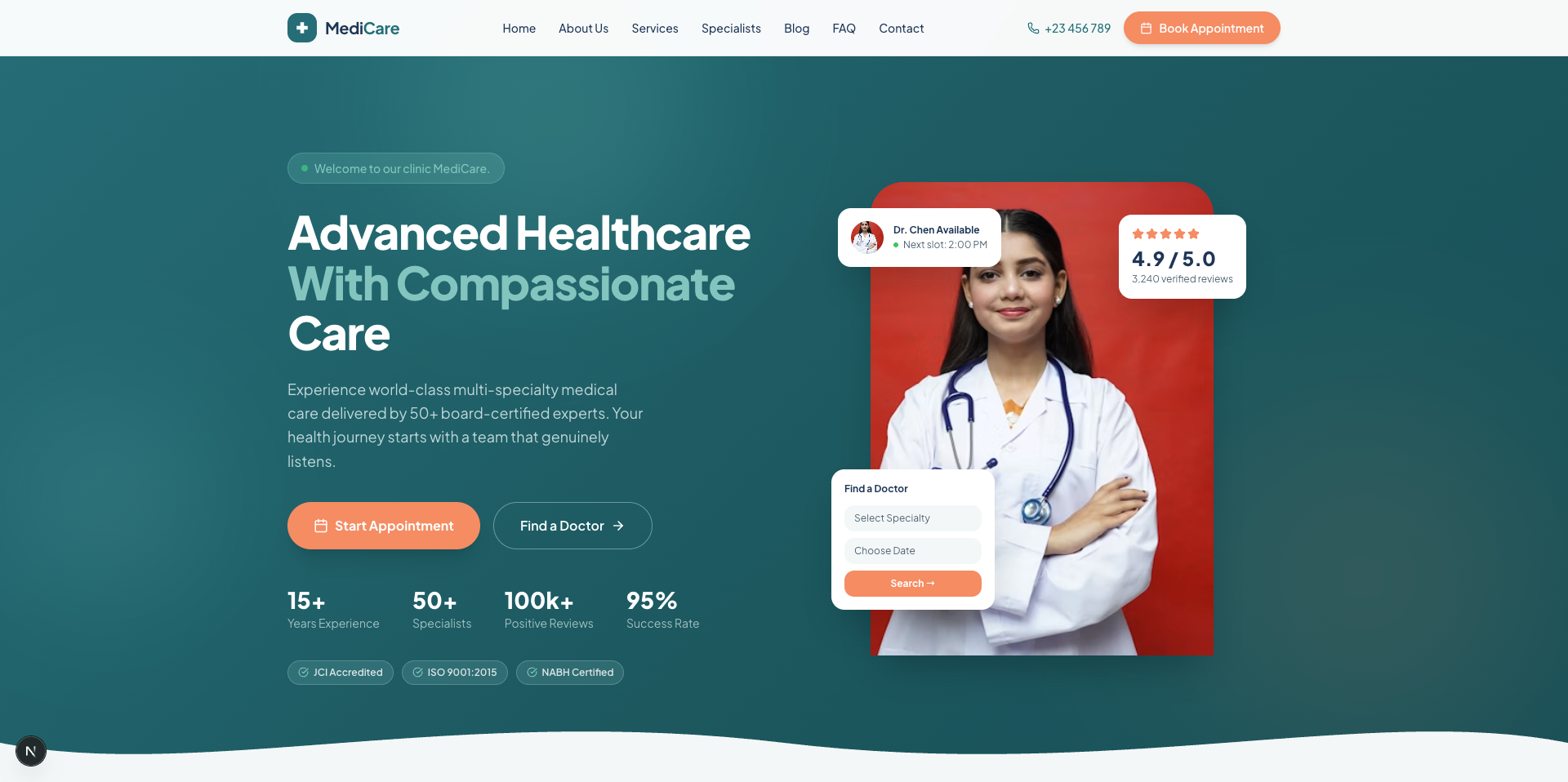
Hero with stats, trust badges, and floating doctor/rating/quick-book cards
Services grid, About section, Specialists (doctors) showcase with ratings and profiles
Online appointment booking with department, doctor, date, and time-slot selection
Testimonials, health blog, FAQ accordion, and contact section with map support
Newsletter subscription bar and CMS-driven footer (Privacy, Terms, HIPAA pages)
Admin panel (CMS)
Secure login (NextAuth) with dashboard: appointment/message/subscriber stats at a glance
Appointment management with status workflow (pending → confirmed → completed / cancelled / no-show)
Full CRUD for doctors, services, departments, blog posts, testimonials, and CMS pages
Contact-message inbox (read/unread) and subscriber list management
Site settings: hero content, about, contact info, social links, working hours, time slots
SEO suite (admin-managed)
Meta title, description, keywords per page and per entity (doctor, service, post, page)
Open Graph + Twitter cards, canonical URLs, robots index/follow toggles
Dynamic sitemap.xml, editable robots.txt, JSON-LD organization schema
Google Analytics, Google Tag Manager, Facebook Pixel, Google/Bing site verification
Engineering & deployment
Next.js 15 App Router with server-rendered pages and REST API routes
MongoDB/Mongoose models with seed script for instant demo content
Docker + Docker Compose (app, MongoDB, one-command seed profile)
Benefits
Launch fast: seeded demo content and Docker setup take you from clone to live site in minutes
No developer needed for updates: staff edit doctors, services, blog, and SEO from the admin
More bookings: frictionless 3-minute online appointment flow converts visitors into patients
Rank higher: complete on-page SEO, structured data, and analytics wiring out of the box
Lower cost of ownership: one codebase covers website, CMS, and APIs — no third-party CMS fees
Grows with you: clean TypeScript models and REST APIs make patient portals, payments, or multi-location support easy to add
Own your data: self-hosted MongoDB, no vendor lock-in
Who this product is for
Multi-specialty clinics and hospitals launching a modern website
Healthcare startups that need appointments + content + SEO in one stack
Agencies delivering clinic websites with an admin CMS for clients
Clinic owners/marketers who want to update content and SEO themselves
Developers who want a ready Next.js + MongoDB healthcare starter instead of building from scratch
Why you should buy this product
End-to-end system: public site + admin CMS + APIs + Docker — not just a static template
Design-matched premium healthcare UI, not a generic bootstrap look
Booking, inbox, newsletter, and content workflows already built and wired to the database
Enterprise-grade SEO control from the admin, per page and per entity
Production-oriented stack that you can deploy today and extend tomorrow
Tech stack
Frontend: Next.js 15 (App Router), React, TypeScript, Tailwind CSS, Lucide icons
Backend: Next.js API Routes
Database: MongoDB + Mongoose
Auth: NextAuth (credentials) for admin
Validation: Zod
SEO: Dynamic metadata, sitemap.xml, robots, JSON-LD structured data
DevOps: Docker, Docker Compose (app + MongoDB + seed)
Tooling: ESLint, tsx seed scripts, environment-based config